Ru
Ru Our channel
2GIS
We developed a concept of AR navigation and multi-stop routes that turns the map into a city exploration service. We logically connected both solutions and showed how AR navigation can work in a complex multi-stop route scenario.
AR-маршруты для 2ГИС: как превратить навигатор из «куда идти» в «зачем идти и что делать». Мы в ZHIRNOV Studio часто берёмся за проекты, где важно не просто придумать новую фичу, а аккуратно встроить её в уже работающий продукт. В этом кейсе мы исследовали, как могла бы выглядеть навигация в 2ГИС с дополненной реальностью — без радикального редизайна, но с ощутимым новым опытом для пользователя. В процессе стало понятно, что одной AR-функции недостаточно: чтобы она работала по-настоящему, пришлось пересобрать сам сценарий маршрута и добавить мультимаршрутность.
О проекте и задаче
Нужно было разработать концепцию AR-маршрутов для 2ГИС. Спроектировать функцию дополненной реальности, которая поможет пользователю ориентироваться в городе прямо через камеру смартфона. Проект выполняли в рамках конкурсного решения с задачей предложить более сильную и продуманную концепцию, чем у других участников.
Мы расширили концепт и предложили внедрить ещё и мультимаршрутность — возможность строить путь не только из точки А в точку Б, а делать это с несколькими промежуточными остановками. На тот момент такой функции в продукте не было, несмотря на её очевидную полезность и необходимость для навигатора.
Мы логично связали оба решения и показали, как AR-навигация может работать в сценарии сложного маршрута с несколькими точками. Спустя примерно полгода после презентации наша идея с мультимаршрутностью появилась в продукте.
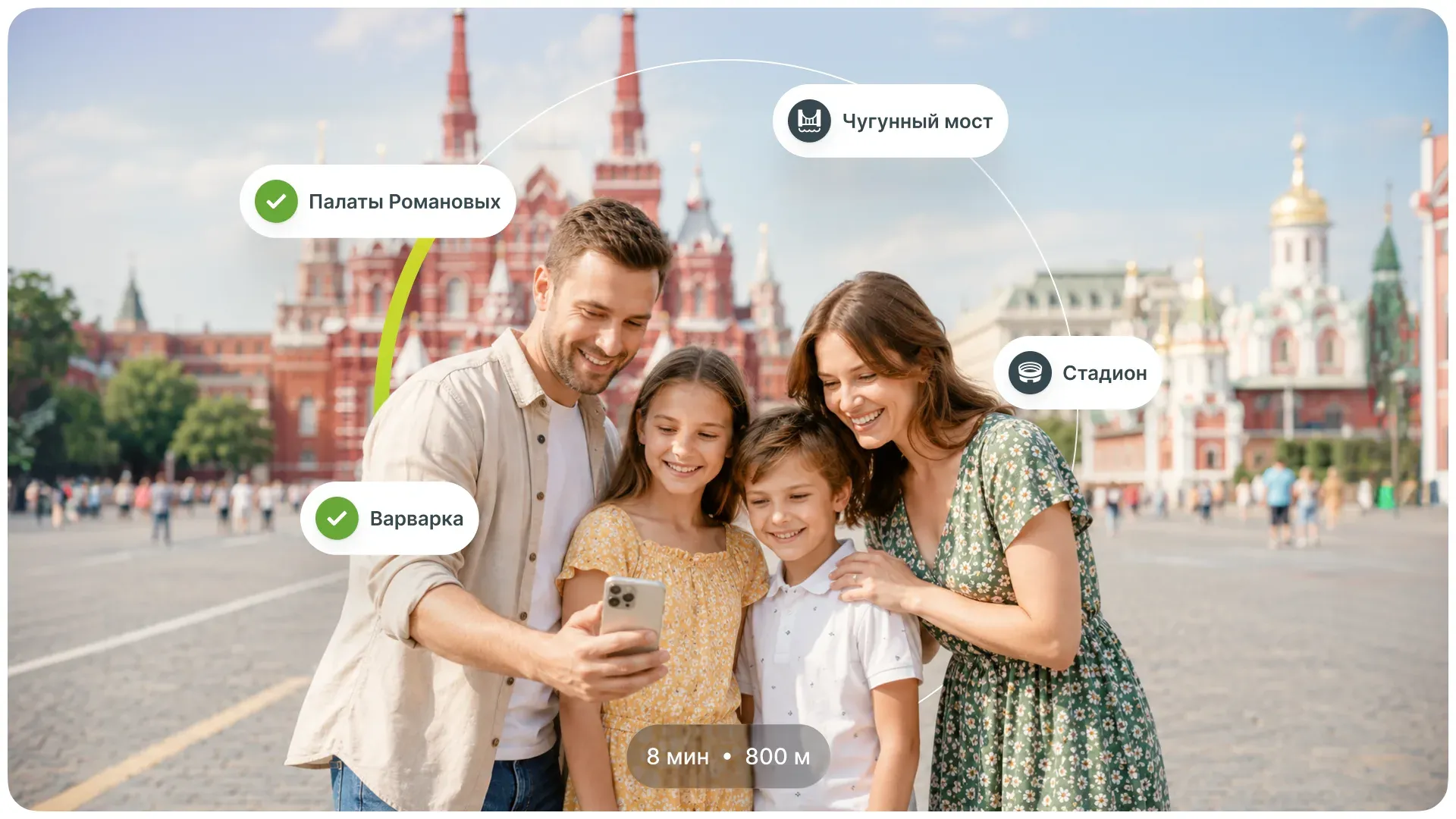
Когда продукт — часть экосистемы
Перед стартом работ Сбер как раз недавно купил 2ГИС, поэтому в проектировании макетов мы решили опереться на всю экосистему банка. Это помогло нам построить драфт пути пользователя на первых этапах.
1. Пользователь начинает с авторизации через Сбер ID. Разумеется, предлагаем и другие способы входа, чтобы не заставлять человека вводить большой объём данных, если он не зарегистрирован.
2. Затем выбирает интересующую локацию и строит маршрут. В интерфейсе появляется шторка с рекомендациями — вместо существующего блока «Интересное в городе» мы предложили формат «Куда пойдём». Если раньше это были просто статьи и истории с местами, до которых можно добраться, то мы переработали механику в полноценный интерактивный гид с видео- и аудиоконтентом.
3. При выборе конкретных точек на карте пользователь видит подробную карточку с информацией о месте, встроенную в общий сценарий маршрута.
Все решения мы проектировали на базе существующего UI 2ГИС. У нас не было задачи делать масштабный редизайн — наоборот, важно было сохранить привычный интерфейс и не перегружать пользователей новыми паттернами. Фокус был на аккуратном расширении функциональности за счёт дополненной реальности.
Изначально мы рассматривали работу с готовыми UI-китами, но их качество и проработанность не позволяли эффективно решать задачу. В итоге сделали собственные компоненты, опираясь на уже существующие элементы интерфейса 2ГИС — максимально близкие по логике и визуалу. Такой подход позволил бы не усложнять будущую разработку и ускорить внедрение предложенных функций.
В основе — нативность и прагматичный баланс: привычный пользовательский опыт, бизнес-ценность и разумная стоимость реализации. Мы придерживались бережного подхода в духе lean-стартапа, где каждое решение оправдано с точки зрения ресурса и результата.
Всё начинается с карты
Главное, для чего люди скачивают 2ГИС — это карта. Поэтому на ней мы сразу показываем два режима навигации: стандартный маршрут и AR-режим. Такой сценарий делает новую функцию заметной, но не навязывает её пользователю.
При переключении в режим дополненной реальности появляется отдельная точка входа — «Маршрут для прогулки». Это заметный и понятный сценарий для тех, кто хочет исследовать город через интерактивный формат. При этом функция не мешает основному пользовательскому пути: если человеку нужно быстро найти супермаркет или построить обычный маршрут, он продолжает пользоваться привычной картой без лишних отвлекающих элементов.
Куда пойдём?
Полностью переосмыслил раздел — раньше это был хаб со статьями и историями о конкретных локациях. Мы спроектировали из них полноценные мультимаршруты. Бизнес получает дополнительную возможность интерактивно продвигать свои точки внутри таких подборок.
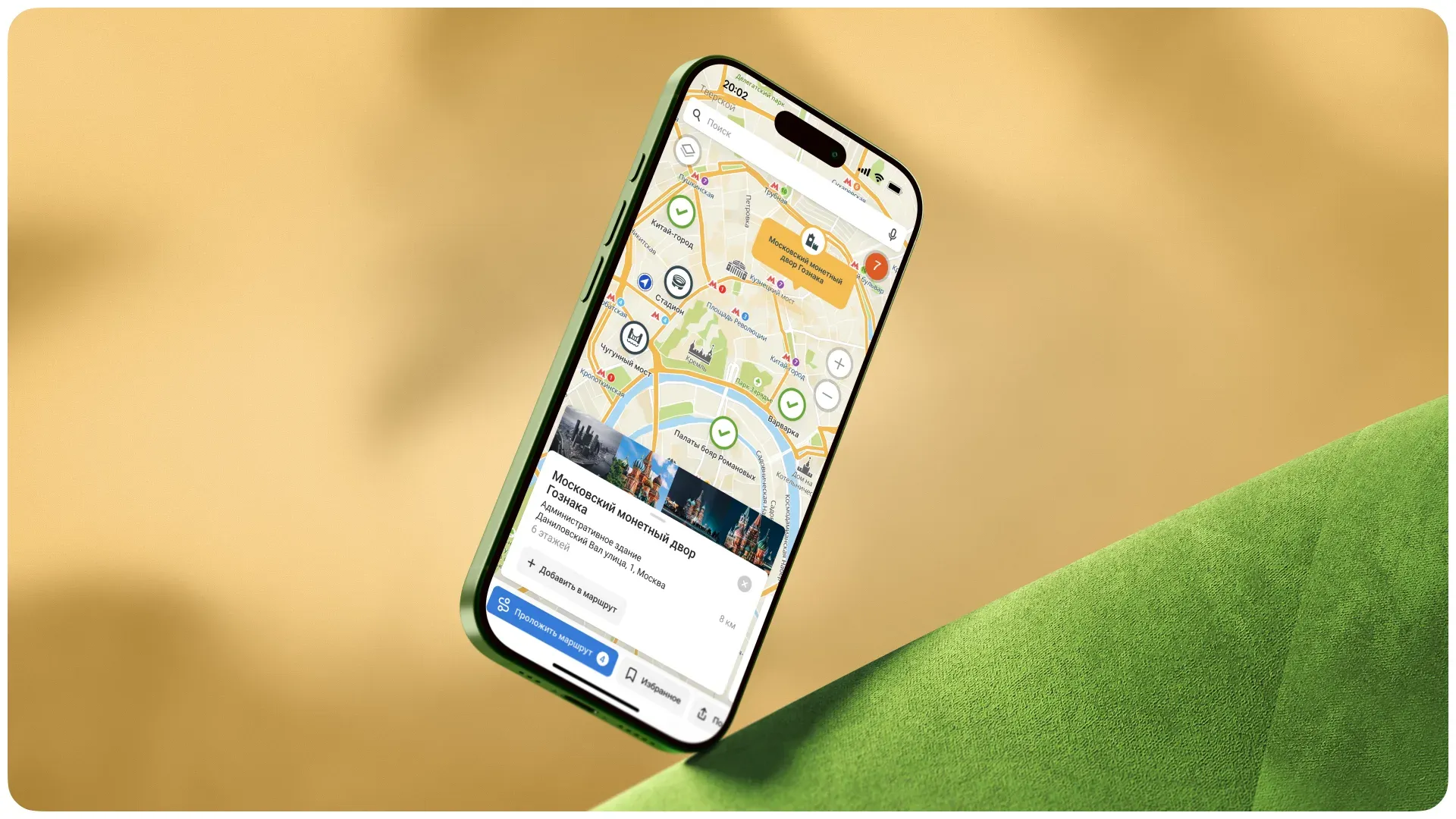
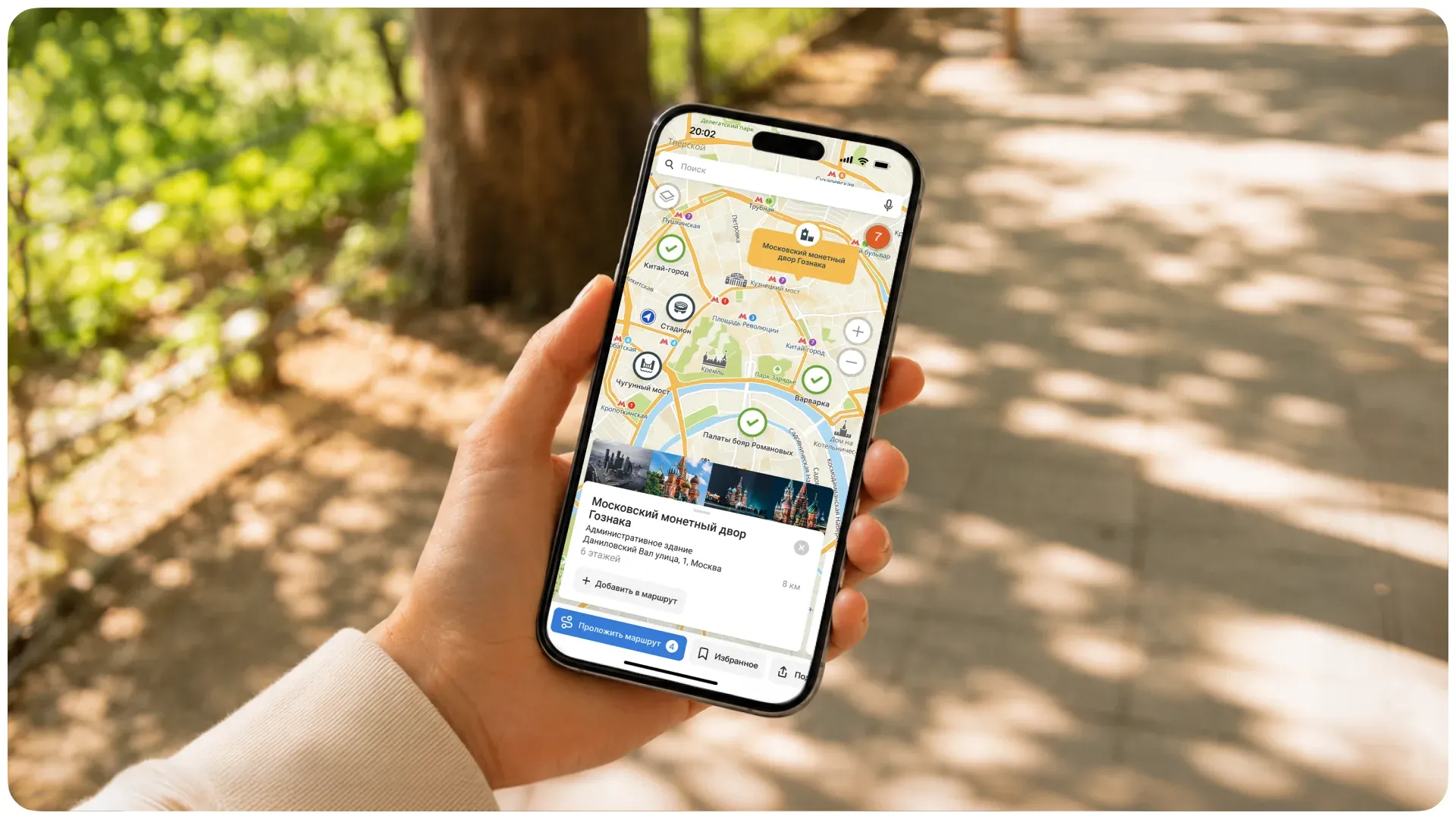
При выборе подборки все входящие в неё точки отображаются на карте. Пользователь может вручную отметить интересующие локации и на их основе собрать собственный мультимаршрут.
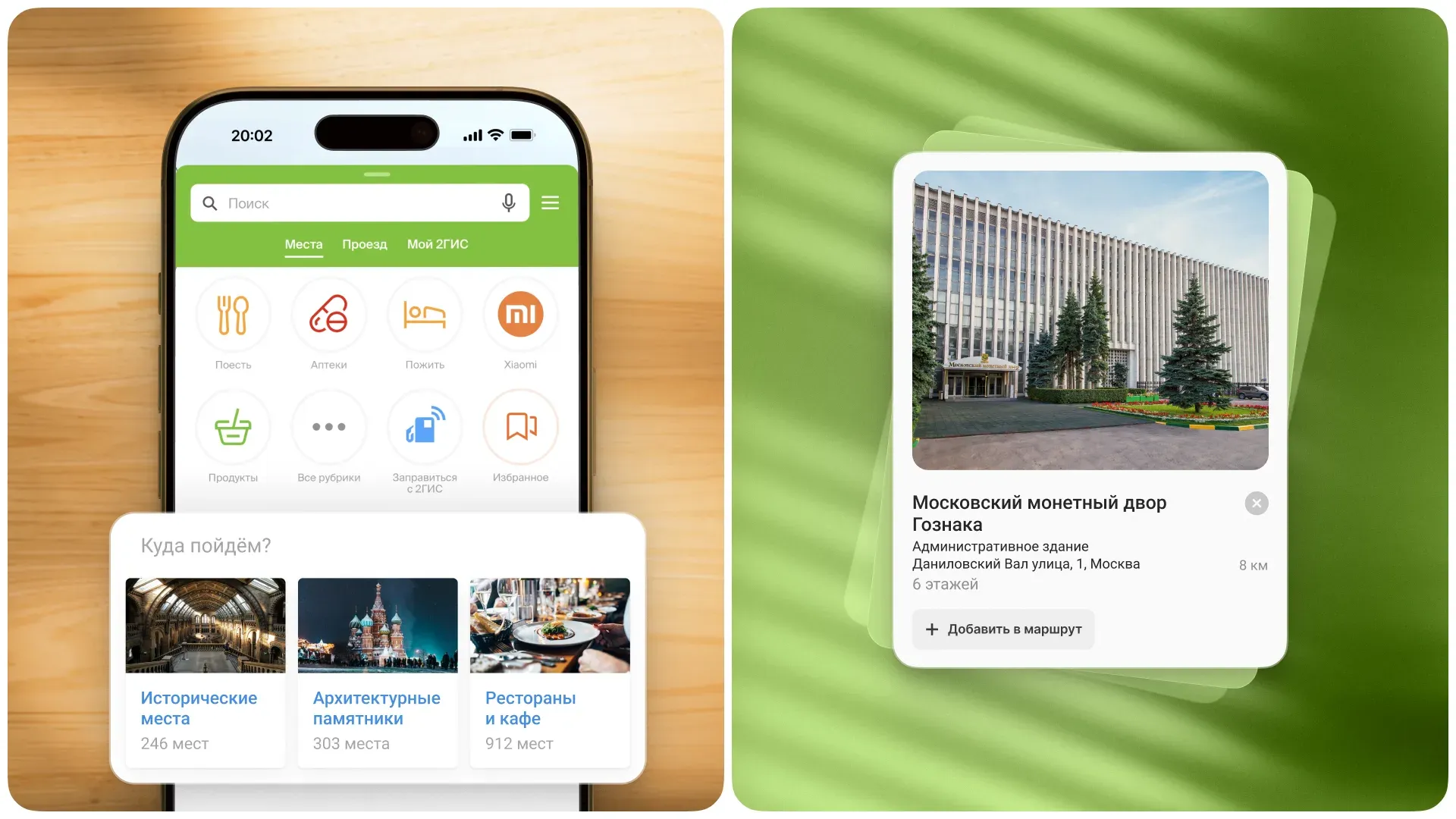
Для каждой точки мы добавили краткую справку в шторке, которую можно легко смахнуть — это позволяет не перегружать интерфейс и не напрягать пользователя в дороге. Там же разместили понятные и заметные призывы к действию — «Добавить в маршрут» и «Убрать из маршрута», чтобы упростить управление маршрутом.
Мультимаршрут построен
Кнопка «Проложить маршрут» сразу показывает, сколько точек добавлено — это помогает пользователю не терять контроль, даже если часть локаций осталась вне текущего экрана карты.
По нажатию на кнопку человек попадает в знакомый интерфейс навигации по карте, но с ключевым отличием — поддержкой мультимаршрута. Можно удалять точки, менять их порядок — все изменения мгновенно отразятся на карте.
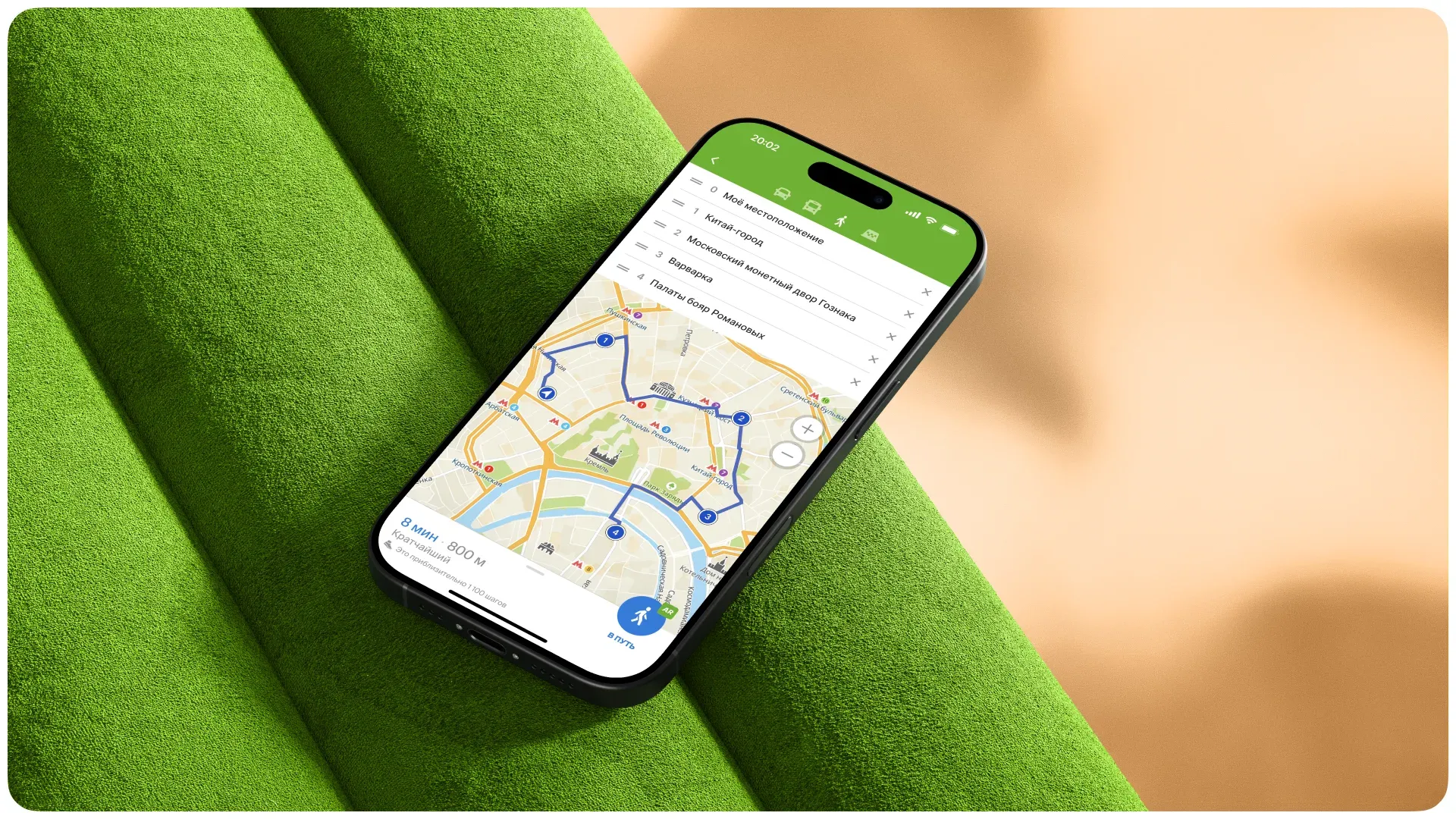
Дальше — переход к движению по маршруту через кнопку «В путь». Пользователь может выбрать формат: классическая карта или дополненная реальность.
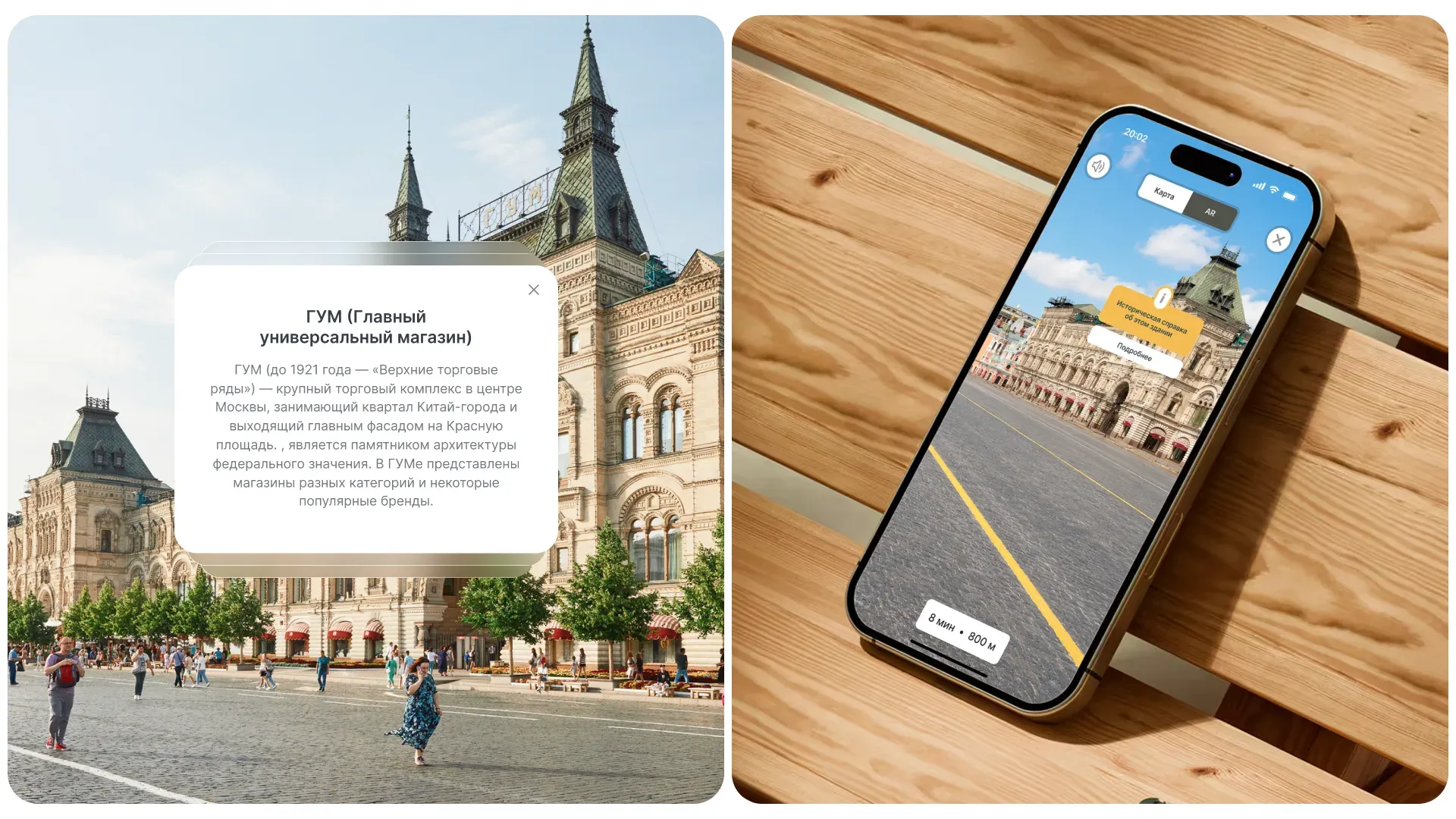
В AR-режиме мы показываем дорогу по принципу игровых механик — как путь до миссии: с понятными ориентирами, дистанцией и направлением.
Чтобы усилить вовлечение, добавили элементы геймификации — например, вопросы по ходу маршрута. В дальнейшем планировали развивать эту механику и добавить систему баллов за правильные ответы.
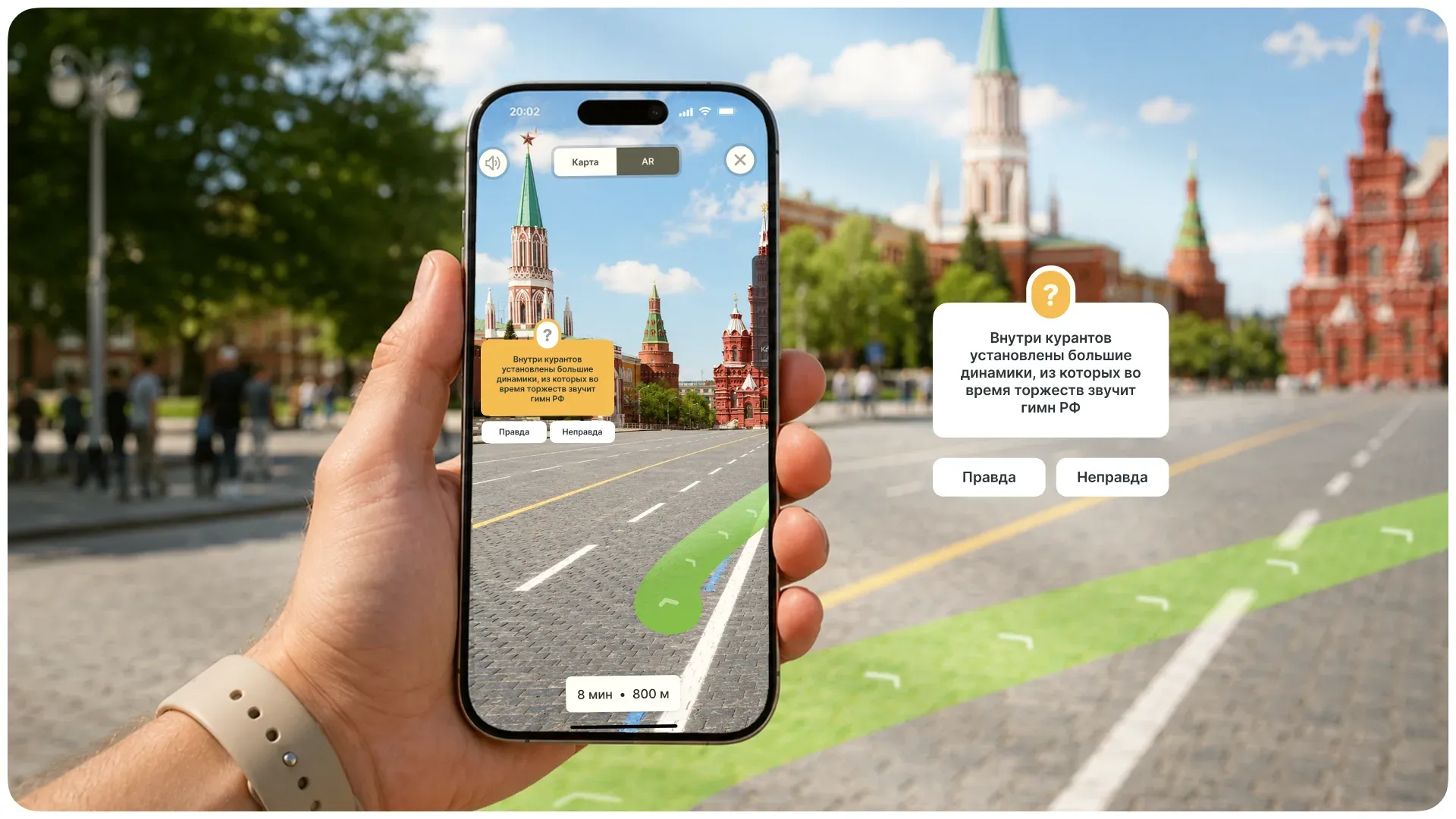
Помимо этого, добавили мини-лекции и аудиогид. Например, пользователь может послушать короткий рассказ об истории места. Аудиоконтент планировали интегрировать с помощью «СберЗвука». По нашей задумке, его можно слушать прямо внутри 2ГИС после бесшовной авторизации в сервисе через Сбер ID.
Дополнительно предусмотрели и другие форматы интерактивного контента — например, исторические справки о зданиях, которые органично встраиваются в маршрут и делают его не только удобным, но и познавательным.
Интерактивный прототип
Для каждого проекта мы создаём интерактивный прототип — он позволяет не просто посмотреть на интерфейс, а прожить пользовательский сценарий целиком. В отличие от статичных макетов, такой формат лучше погружает стейкхолдеров в логику продукта и помогает быстрее понять ценность решений. Чтобы передать этот опыт, мы записали скринкаст с прохождением прототипа — вы можете посмотреть, как работает сценарий в динамике.
Итоги
Нам удалось аккуратно встроить новые технологии в уже привычный пользовательский опыт 2ГИС. Мы не сломали сценарии, не перегрузили интерфейс и не увели продукт в экспериментальную зону — наоборот, показали, как дополненная реальность может усиливать базовую ценность навигатора, а не конкурировать с ней.
Через мультимаршруты и интерактивный контент мы предложили новый слой продукта — не просто «как дойти», а «зачем идти и что по пути получить». Это сдвиг от утилитарного инструмента навигации к сервису с опытом, эмоцией и дополнительной бизнес-ценностью.
Отдельно важно, что всё решение осталось приземлённым с точки зрения реализации: минимальное количество новых сущностей, опора на существующий UI, понятная логика для пользователя и адекватная стоимость разработки.
При этом AR сегодня — всё ещё технология «на вырост». Хайп вокруг неё заметно спал: текущие решения остаются громоздкими, а устройства вроде очков пока не достигли идеального форм-фактора, поэтому не становятся массовыми. Но это скорее вопрос времени.
Однажды подобные сценарии перестанут быть экспериментом и станут новой нормой. И в этом смысле проект оказался чуть впереди рынка — не радикально, но достаточно, чтобы нащупать, как это будущее может выглядеть.