Ru
 Our channel
Adbery: advertising platform
We developed the Adbery platform, which united advertisers and site owners in a single system: with chats, employee management, placement timeline, map, analytics and a mobile app for installers
Hello! This is ZHIRNOV Studio, today we'll tell you about Adbery – a platform that connects advertisers and owners of advertising spaces: from individuals to agencies and studios. The service was conceived as a single entry point to the market where you could quickly find, compare and book placements. Over time, the Adbery team's focus shifted in a different direction, so the project in its current form is no longer being developed. Nevertheless, we decided to tell you about it as an important part of our experience.
Context: a market that didn't exist
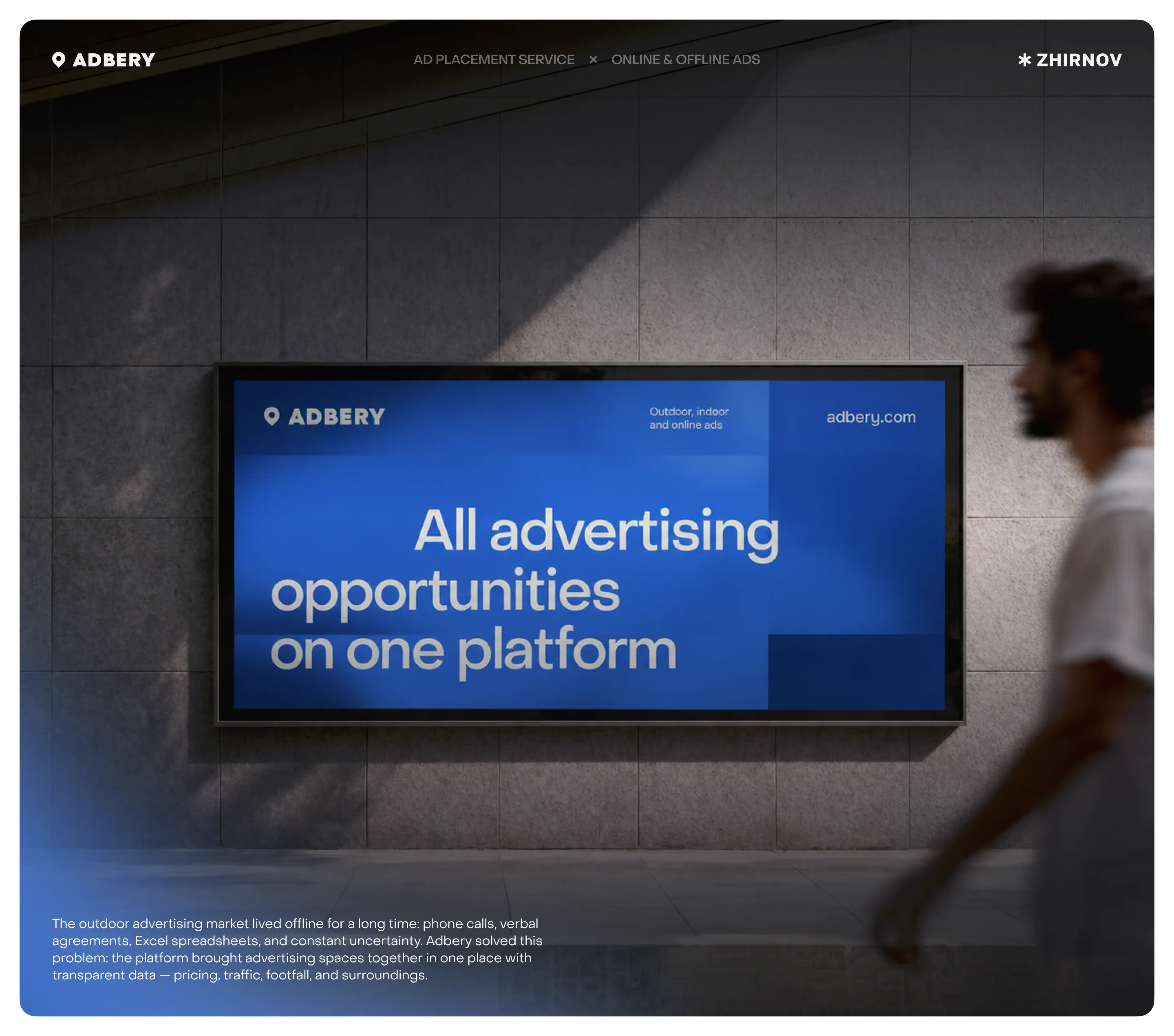
The project was developed in 2018-2019 – at a time when online services for offline advertising were still very rare. Competition was almost non-existent, processes were offline and chaotic. To place outdoor advertising, you literally had to hunt for available surfaces. You saw a banner – try to figure out how much it costs, who to call and whether it's available at all.
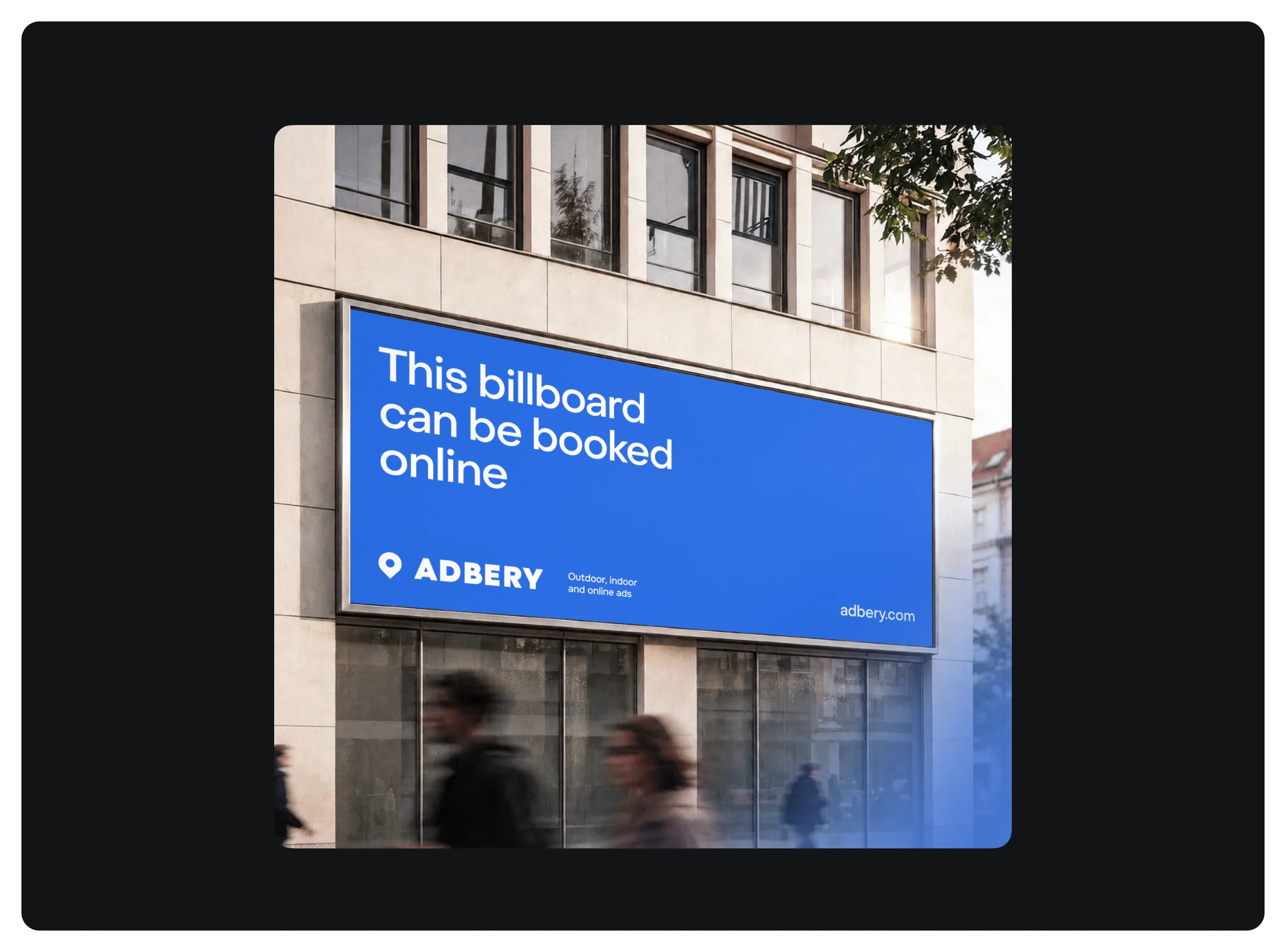
Adbery solved this problem: the platform collected advertising spaces in one place with transparent data – cost, traffic, footfall, surroundings. And it wasn't just about billboards, but also indoor placements, radio and TV, targeted ads and advertising in public groups.
Actually, preparing and launching advertising is a complex and multi-step process: finding contractors, endless approvals, adapting layouts to different requirements, installation and removal. In Adbery, everything was collected in one interface: from communication to production and final placement, to reduce the burden on all parties.
Main screen: immersion in the product
Immersion in the product began with the main page of the corporate website. By modern standards, it looks quite compromised – it's now an "outdated" interface, but keep in mind that we made it in 2019. The main task of the page was to quickly introduce the user to the context of a product that had no analogues on the market. The first screen was designed for a shortened funnel, so we immediately offered users to try the product through quick scenarios.
Navigation is fixed in the header: login and registration are always at hand. Buttons are arranged by priority. Quick start leads to the shortest possible registration. Everything else the user will fill in during onboarding or work in the personal account. The "Watch" button opens a pop-up with a demo video. This is a quick way to figure out how everything works without reading through the interface. Next is the "Trusted by" block with client logos and reviews.
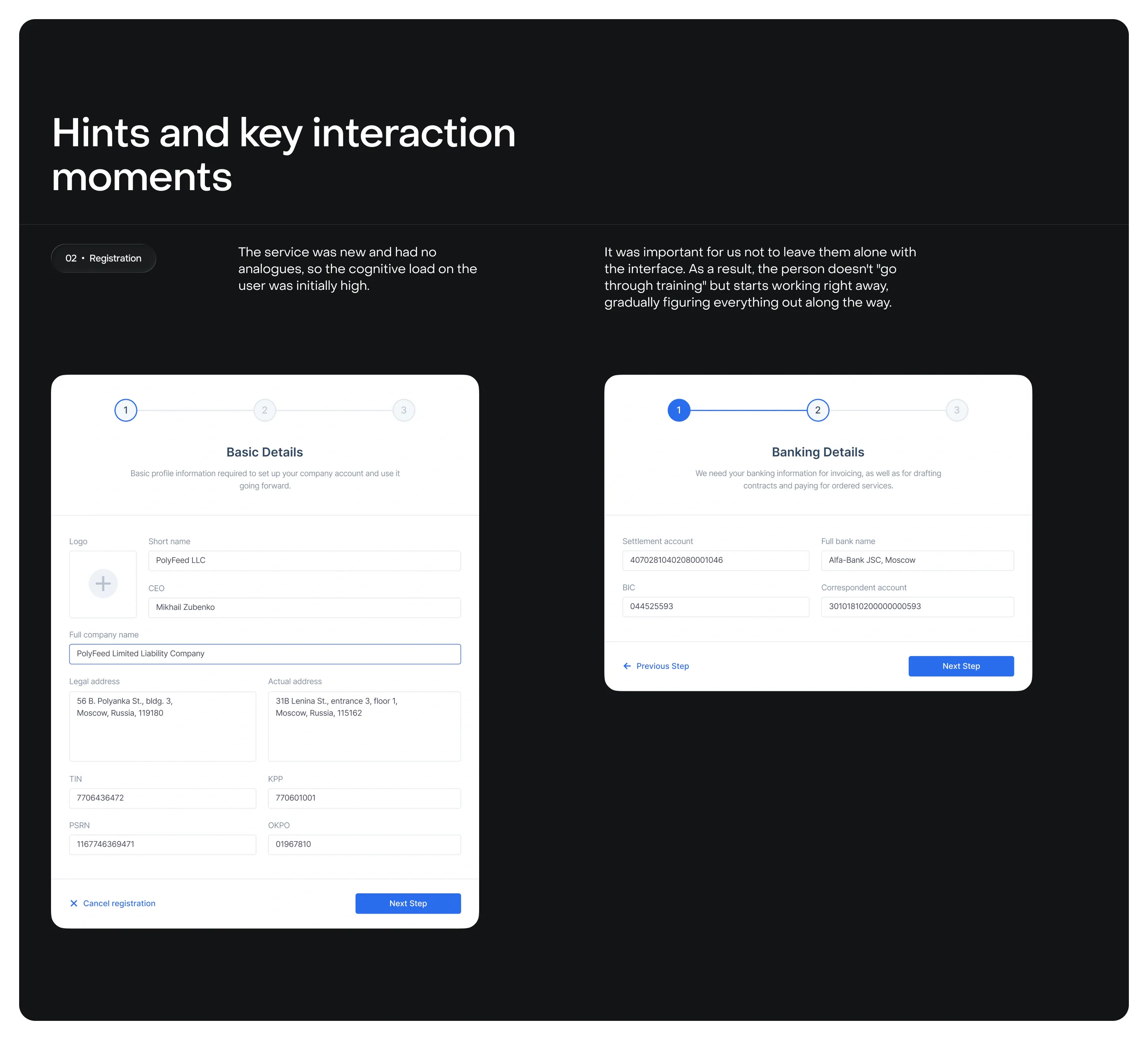
Instead of showing separate welcome screens, we embedded hints at key moments of interaction. The service was new and had no analogues, so the cognitive load on the user was initially high. It was important for us not to leave them alone with the interface. As a result, a person doesn't "go through training," but immediately starts working and gradually figures everything out along the way.
Chat system
One of the key features of the project – with it we closed all workflows in one place. Chats can be created for a task: adding colleagues, accounting, designers or any contractors. There are both collective discussions and private dialogs – depending on the context of work.
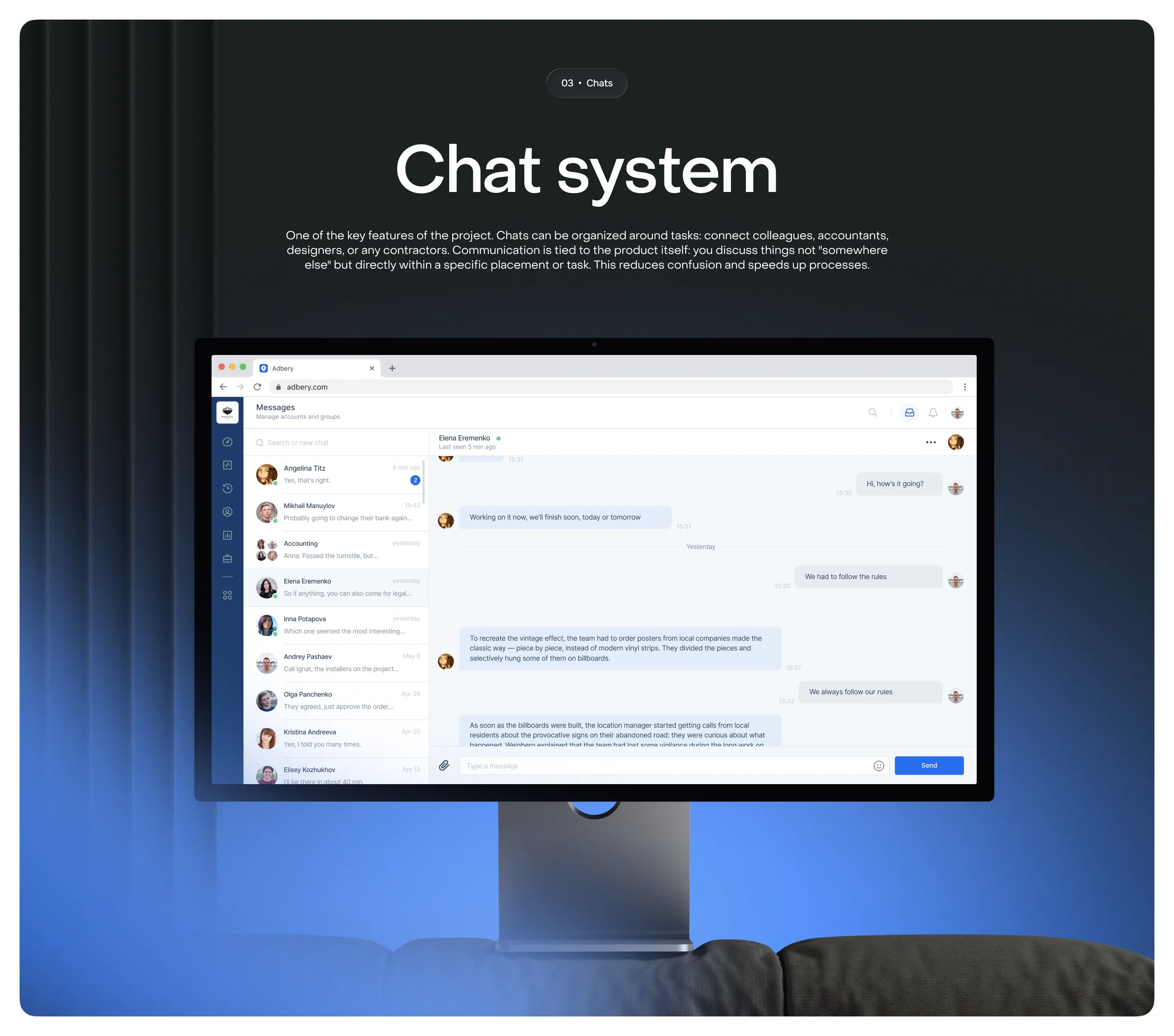
Communication is tied to the product itself: you discuss not "somewhere," but directly within a specific placement or task. This reduces confusion and speeds up processes.
A separate attachments tab collects all files exchanged by participants – no need to search for documents across different services and correspondence.
Employee management
The invite system was designed to quickly add employees and clients, assign roles and immediately see statuses and contacts.
The most frequent action – "write" – was prioritized, secondary actions were hidden in the menu. Transfer to another department, deletion and other rare scenarios are available, but don't interfere with the main workflow. The interface was designed with speed in mind: any action takes 2-3 clicks.
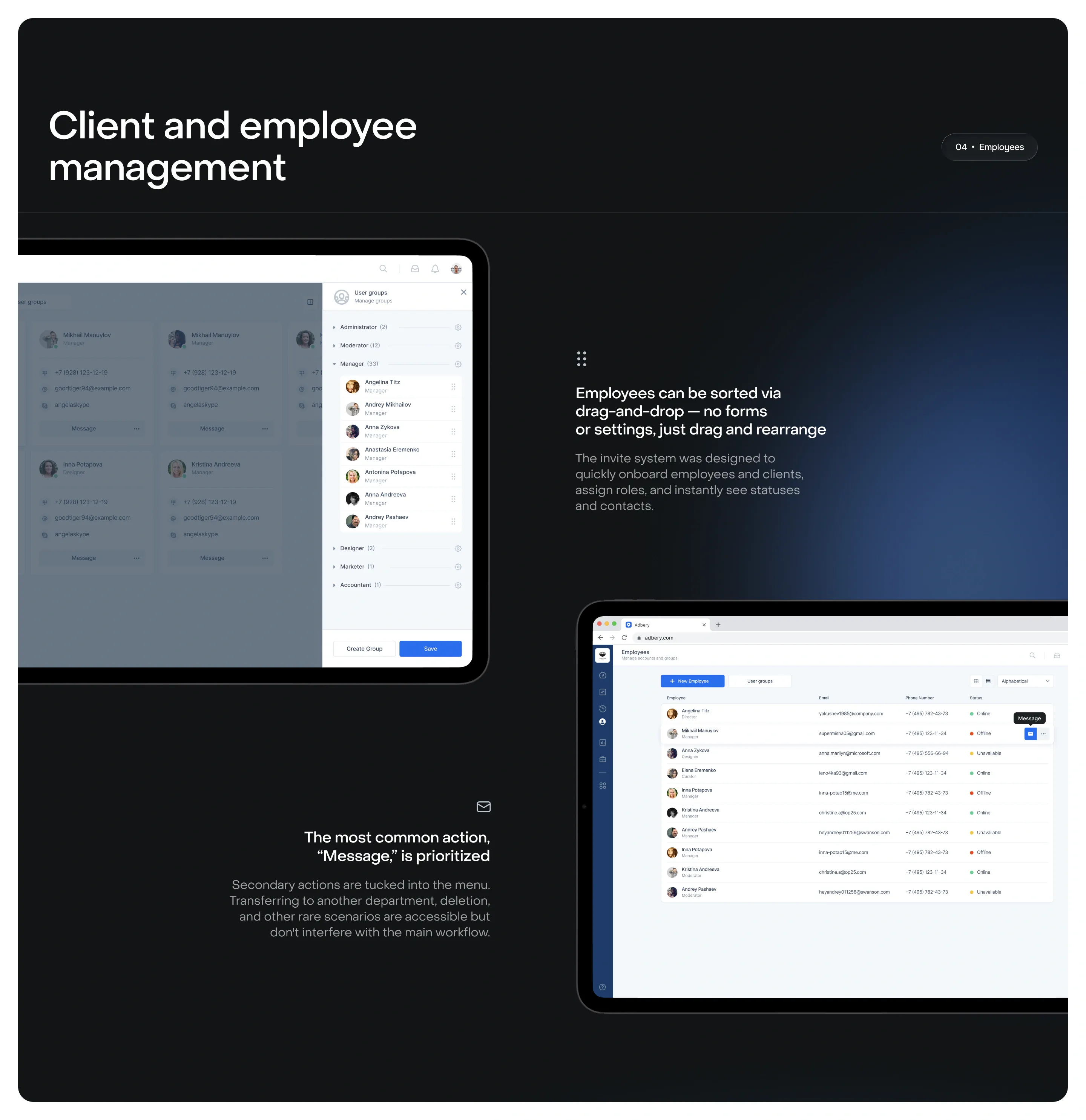
We designed user groups – this is convenient for managing teams with shift work, for example, installers. Plus the feature provides a simple structure by departments and roles within the company.
Employees can be sorted via drag-and-drop – without forms and settings, just by dragging. For each group, permissions are configured using switches. There's an alternative display mode – grid, to navigate large teams faster.
Timeline and placement management
If you're selling advertising and you have, say, 80 billboards across the city, the main question is how to manage them. In Adbery, all ad spaces are entered into a personal account and displayed as a list and on a map. For each location, you can immediately see the load and occupied slots, plus everything is collected on a timeline.
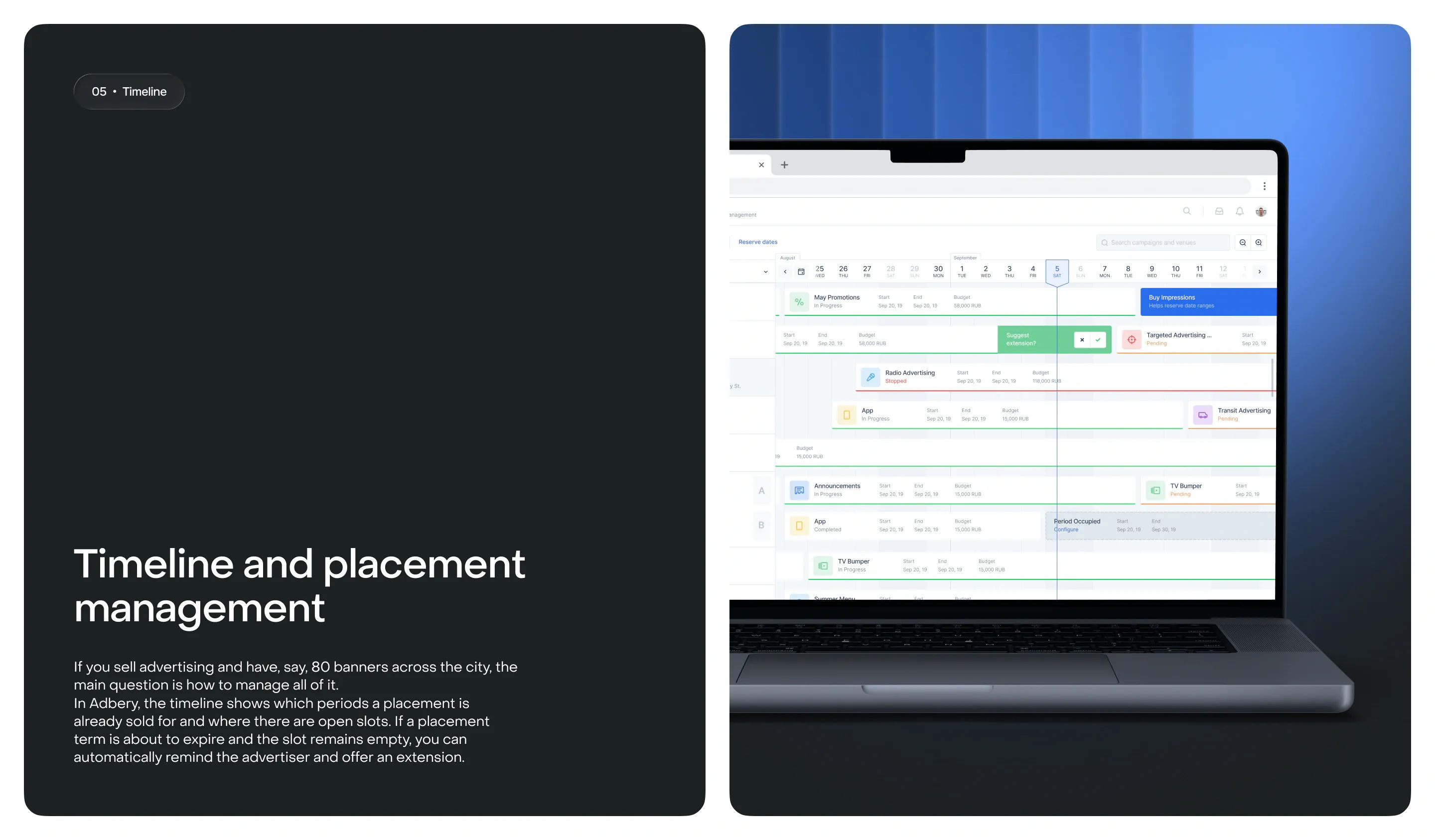
The timeline shows which periods are already sold and where there are free windows. If a placement period is coming to an end and the slot remains empty, you can automatically remind the advertiser about this and offer an extension. If some ad space is underperforming in sales, you can "highlight" it through the "Buy impressions" feature – essentially boost it within the system and attract more attention to it. The advertiser, in turn, can manually book the periods they need. Not only for campaigns, but also for one-off placements, for example, to congratulate a spouse on their birthday on a billboard.
Ad space management
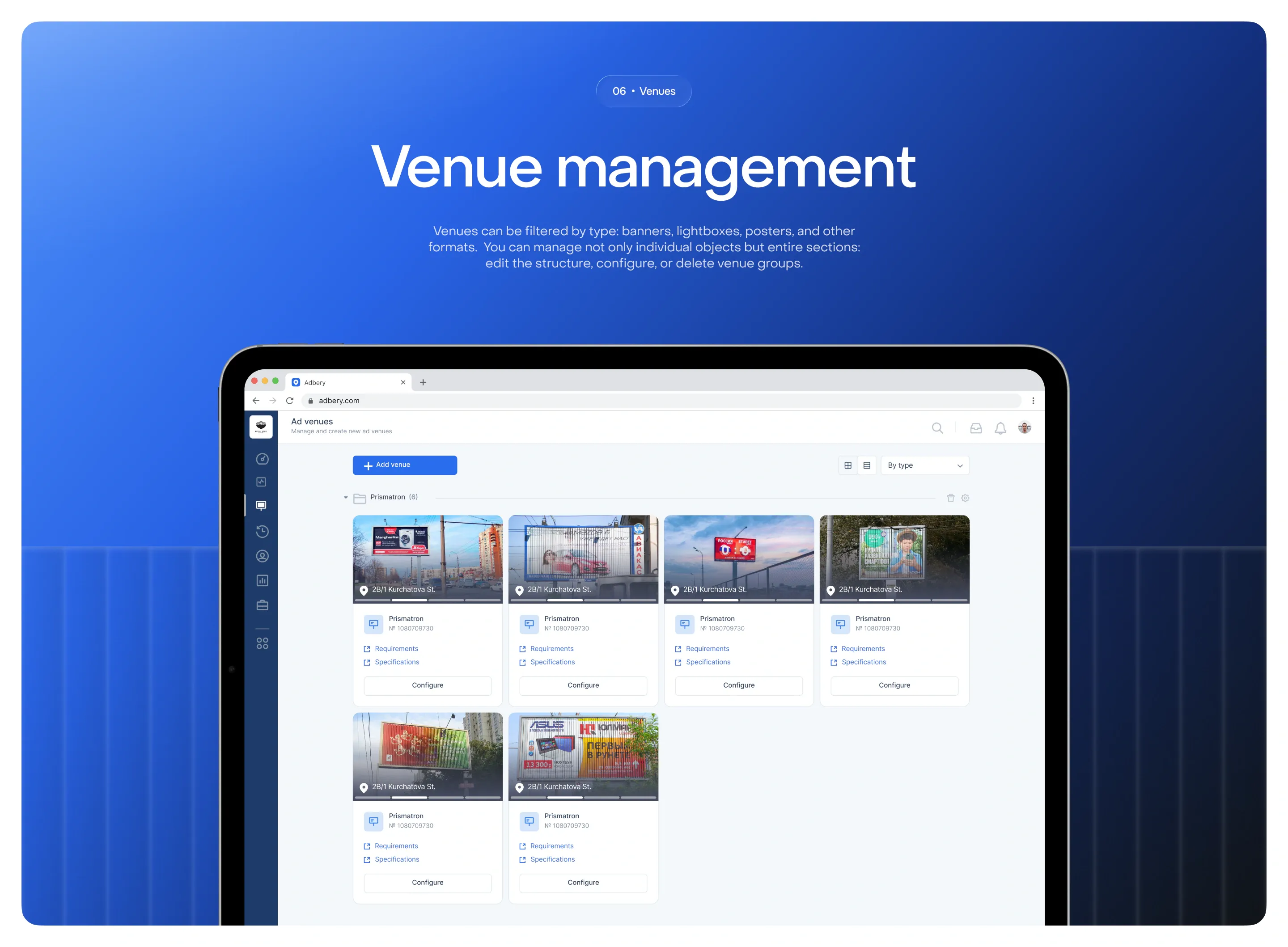
Ad spaces can be filtered by type: banners, light boxes, posters and other formats. You can manage not only individual objects, but also entire sections: edit the structure, configure or delete groups of ad spaces.
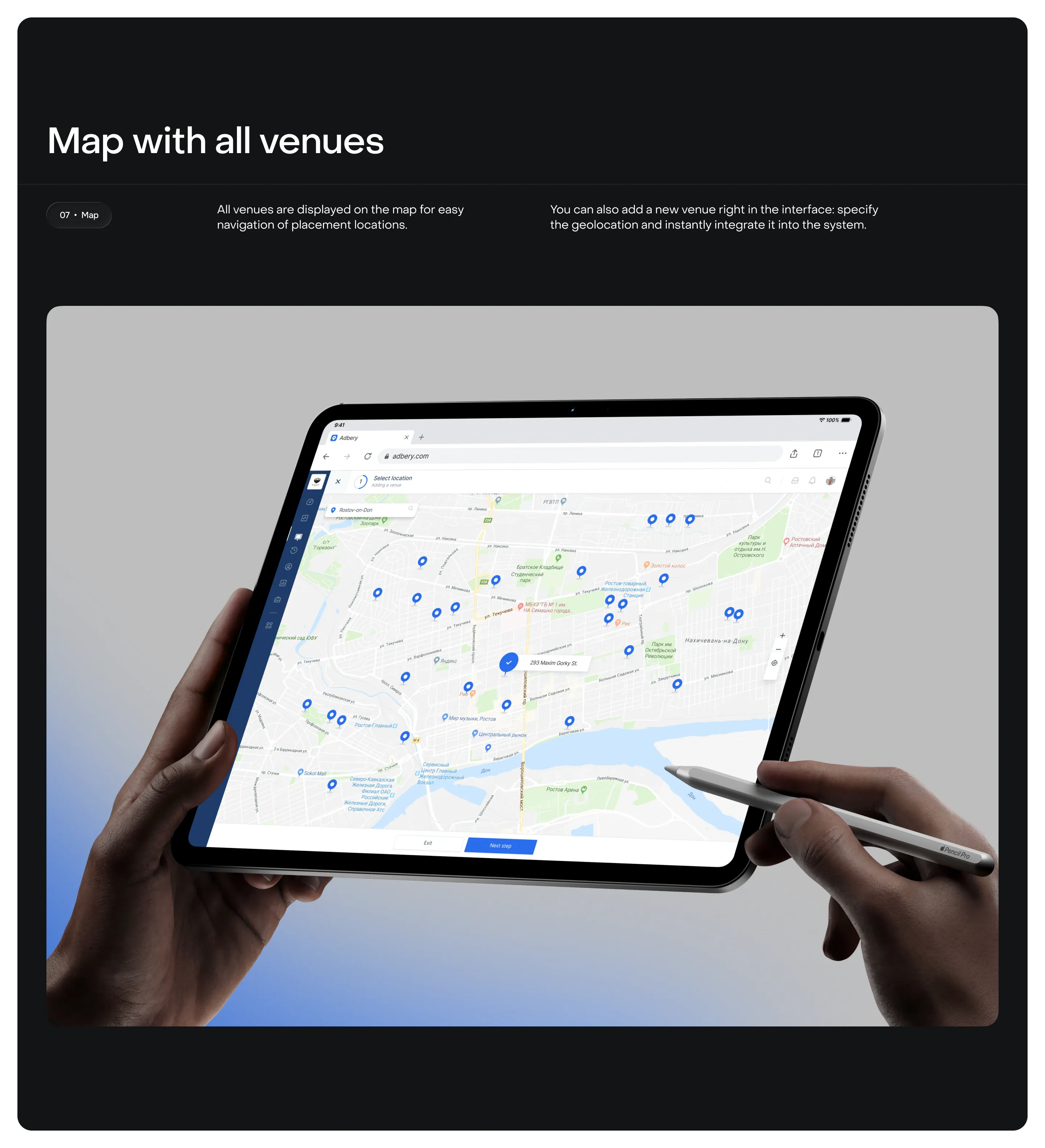
All ad spaces are displayed on a map to help you navigate the geography of placements. Plus, you can add a new ad space in the interface: specify the geolocation and immediately integrate it into the system.
Dashboard and analytics
The main task of the dashboard is to give the ad space owner a quick snapshot of the situation. Log in – and you immediately see where views and sales have dropped, which placements are underutilized, and which ones, on the contrary, are working effectively. This helps make quick decisions – what to sell additionally, what to reconfigure or remove from the offering altogether.
A separate section is transaction history. All operations are available in one place, without the need to involve agencies or keep records in third-party services. In the account, you can configure contract issuance and payment deduction. After that, the system automatically generates acts, receipts and other closing documents. The master agreement is universal, but during development we built in the ability to add custom templates for the specifics of different clients and deals.
Mobile app for installers
A separate app was created for those who work "in the field". At the center are tasks: each contains an address, a checklist of work and other important information for completing the task. The installer understands what needs to be done and in what order. All actions are synchronized with the main service: statuses are updated in real time and displayed on the timeline. The ad space owner and advertiser receive notifications about the progress and completion of work.
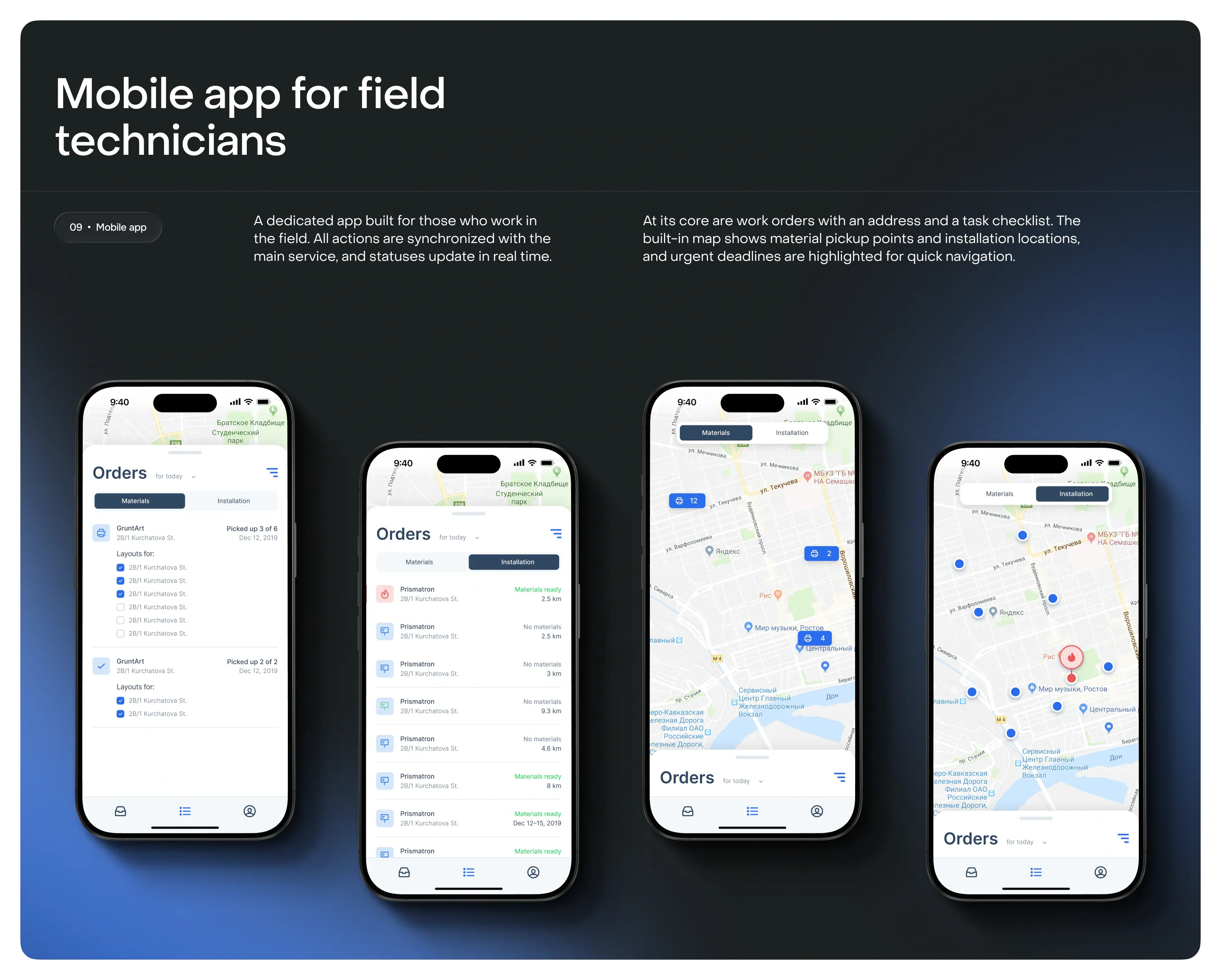
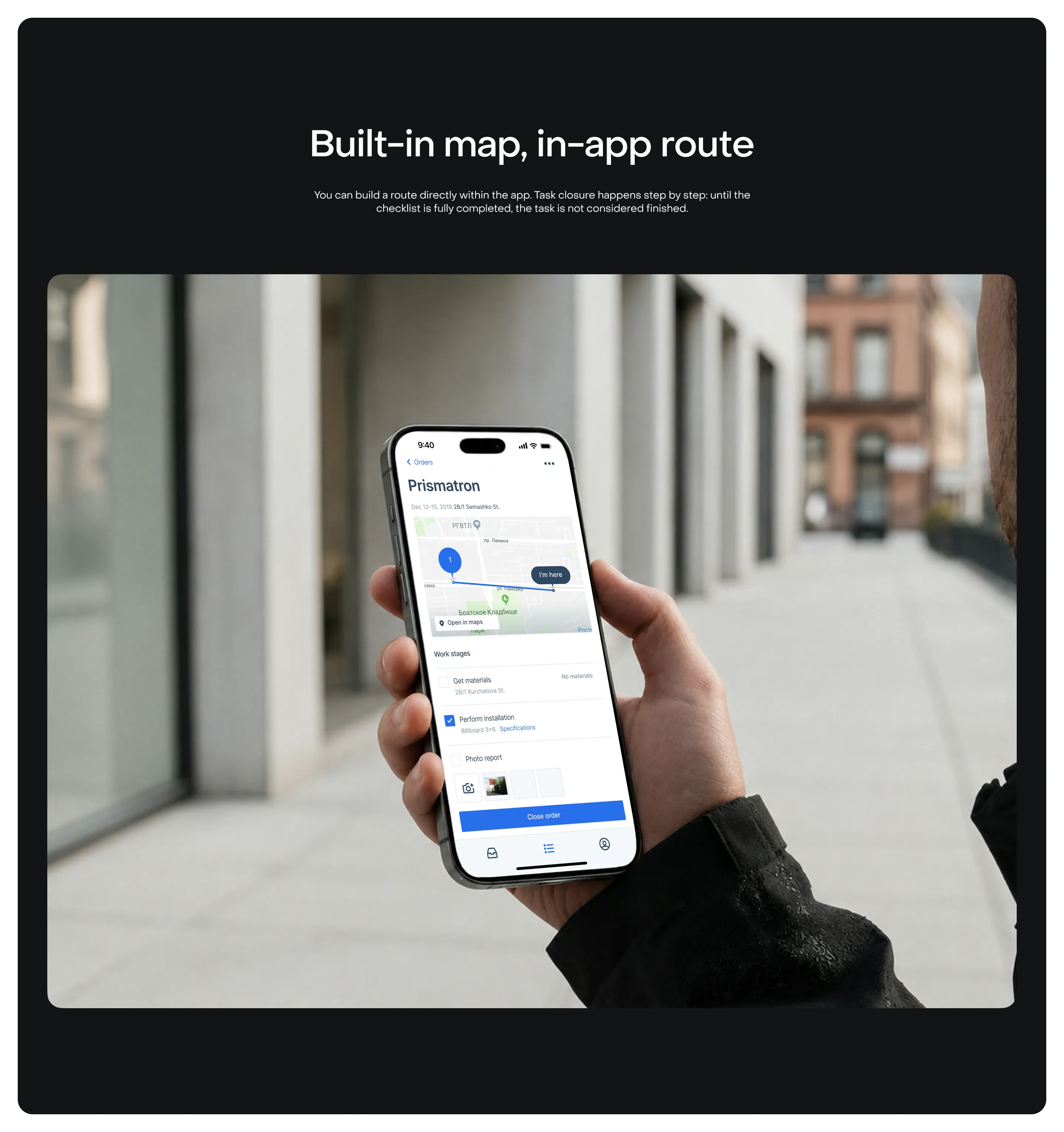
An embedded map helps navigate tasks: there are separate layers for material pickup points and installation locations. Ad spaces with urgent deadlines are highlighted so you can immediately see where work needs to be done first. You can plot a route directly within the app. Task completion happens in stages: until the checklist is fully completed, the task is not considered finished. The profile also displays statistics to track completed tasks and employee efficiency.
In the product we didn't work with the interface
We worked with a market that was itself fragmented, opaque and largely manual. And we tried to bring it into a system – not by simplifying it, but by accepting all its complexity. Inside Adbery there turned out to be much more than it appears from the outside: it's not a "ad placement service", but a management layer on top of dozens of processes – search, negotiations, production, placement, control and analytics.
And the main challenge wasn't in drawing convenient screens. It was in connecting people with different goals, speeds and areas of responsibility in one logic – and making sure they didn't interfere with each other, but worked together.